

Your newTransportation Management System
Run orders, shipments and containers in one place.
FreightLite manages the full order-to-cash flow for drayage and trucking operations. It brings together orders and shipments, container planning, live tracking, contracts and rates, and invoicing that syncs with QuickBooks Online.

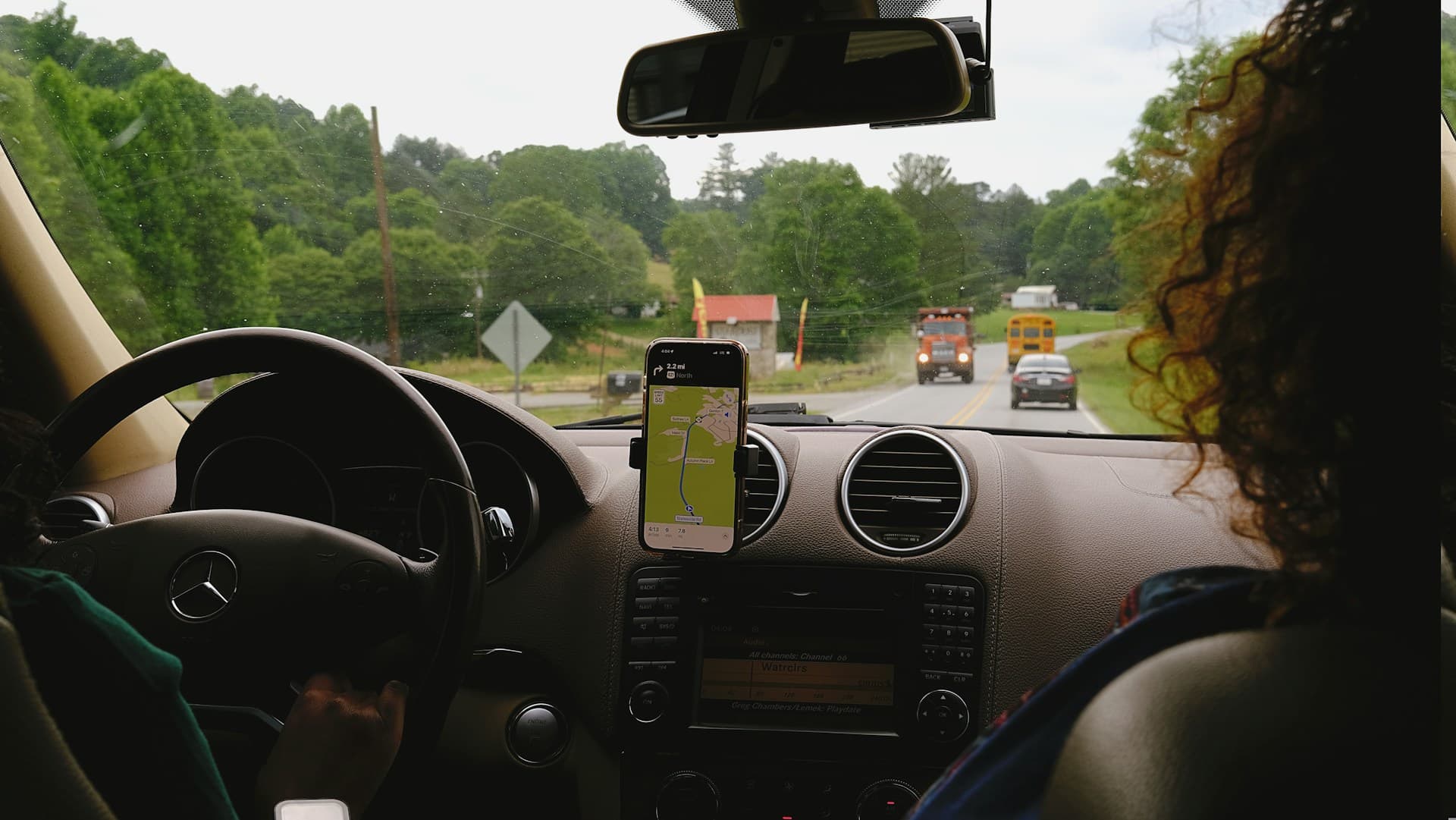

 Live Tracking
 Security Measures
FreightLite manages the full order-to-cash flow for drayage and trucking operations. It brings together orders and shipments, container planning, live tracking, contracts and rates, and invoicing that syncs with QuickBooks Online.
Everything from order intake to delivery
Each capability below maps to a working screen and API in the product.

Orders & shipments
Manage customer orders and break them into executable shipments. Each shipment carries its pickup and delivery details, container assignment, pricing and status, from intake through completion.

Scan & Create Order
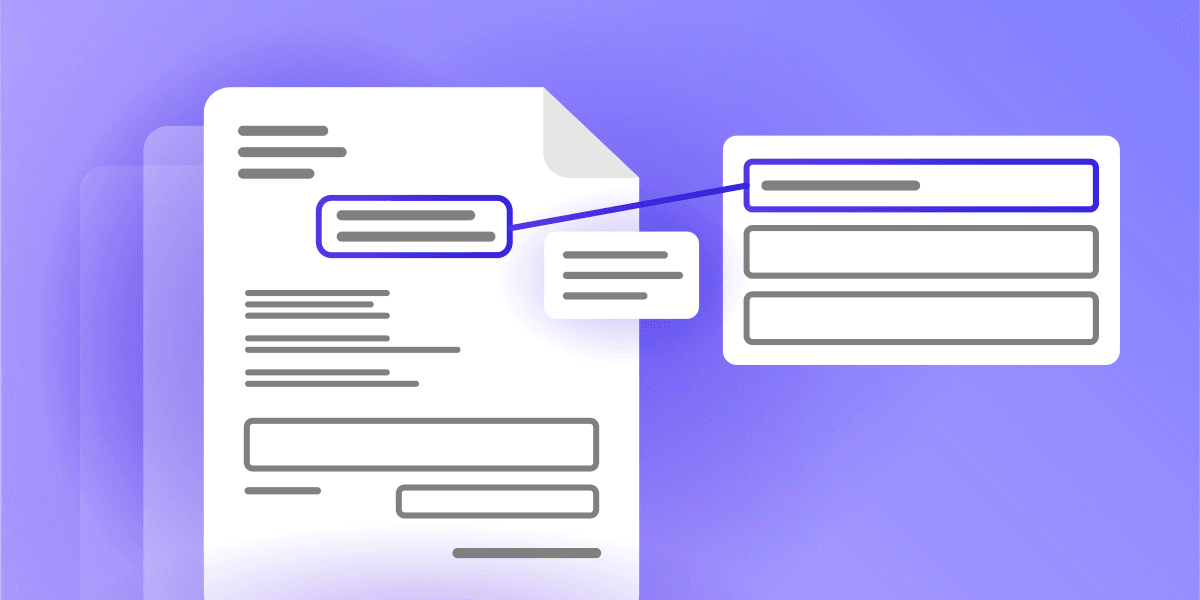
Upload a PDF such as a rate confirmation or load tender, and FreightLite reads it and turns it into a draft order, so your team stops re-typing shipment details by hand.

Container planning
Track containers by number, type and condition, check availability, and link one or more orders into a consolidated shipment.

Live tracking map & timeline
Follow each shipment on a Google Map with a status timeline built from tracking events such as assign driver, start trip, begin delivery, drop-off and complete.

Driver mobile app
Drivers sign in on their phone and get a push notification the moment a shipment is assigned. They can see their current shipments, update status from the road and capture proof-of-delivery photos.

Office and driver messaging
Live chat between the back office and drivers on each shipment, with push notifications delivered through Firebase to keep both sides in sync.

Contracts & rates
Versioned customer contracts with PDF attachments and extensions, plus general rates, accessorial surcharges and both company and owner driver rates.

Accounting & QuickBooks
Build AR / AP invoices with surcharges, track payments and aging, and sync invoices, payments and customers to QuickBooks Online.

Documents & OCR
Store customer, trade-partner, driver and POD documents, and read text from uploaded images with OCR, including driver-license validation.
Have questions? Let’s Discuss
Contact NowAn assistant that knows FreightLite
Your success, powered by AI.
The FreightLite AI Assistant is available on every screen. Describe a shipment in plain language and it drafts an order for you
Draft orders from a conversation
Tell it the customer, container and the pickup and delivery, and it creates a draft order for review.
- Speak or type in plain English
- Auto-extracts all shipment details
- Generates ready-to-review drafts

Answer product questions
It searches the FreightLite user-guide knowledge base.
- Instant user-guide lookup
- In-app step-by-step guidance
- Zero-wait troubleshooting help

Modern & Tech-Forward
With us your business is positioned for the future
Experience a seamless workflow powered by intelligent automation. From instant AI-driven order creation to live tracking and automated accounting, FreightLite gives you ultimate control over your supply chain without the manual headaches.

From a PDF to a ready-to-review order
Most loads still arrive as a PDF rate confirmation or load tender. Instead of re-keying every field, drop the file into Scan & Create Order. FreightLite extracts the customer, container, commodity and the pickup and delivery details, then pre-fills a draft order for you to check and confirm.
- Drag & Drop or manually upload a PDF file.
- Fields are extracted automatically.
- Review, then confirm. The order is created as a draft.
Drivers get the job the moment it’s assigned
FreightLite has a dedicated driver app. As soon as dispatch assigns a shipment, the driver gets a push notification on their phone, with no phone calls and no paperwork relay. From there they run the whole trip from their pocket.
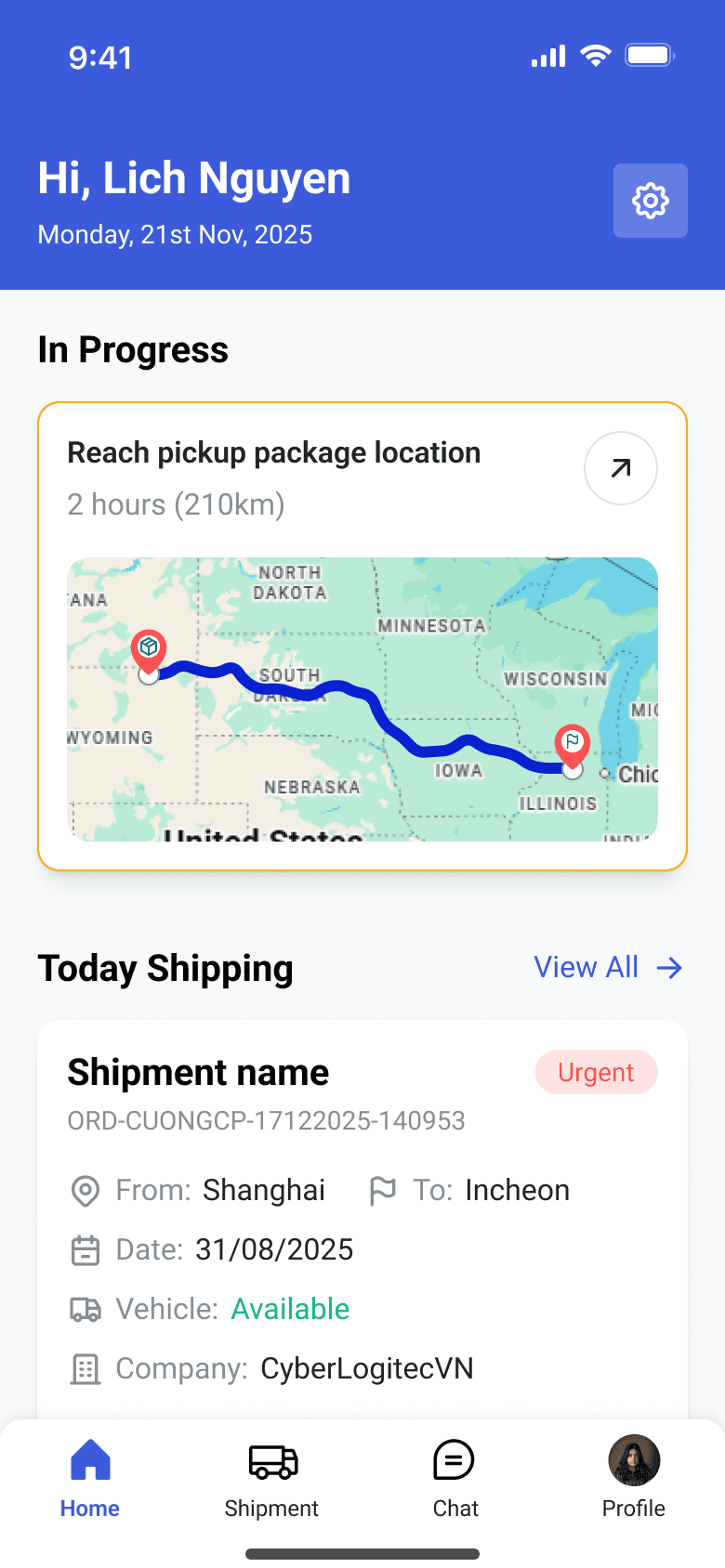
Instant assignment alerts
A push notification fires the moment a shipment is assigned.
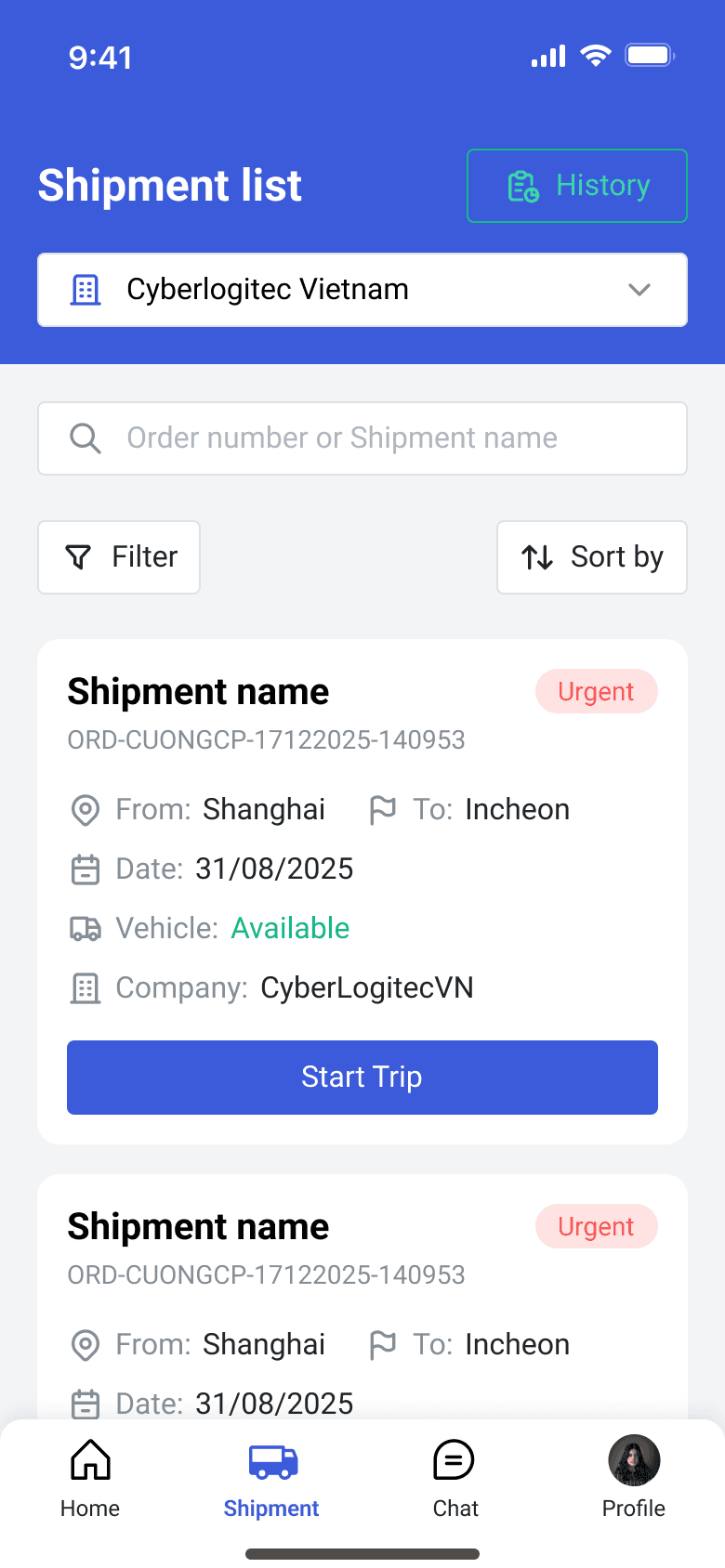
My shipments and details
Drivers view current & upcoming shipments with pickup, delivery and container info.
Update status on the road
Start trip, in transit and begin drop-off all flow straight back to the office.
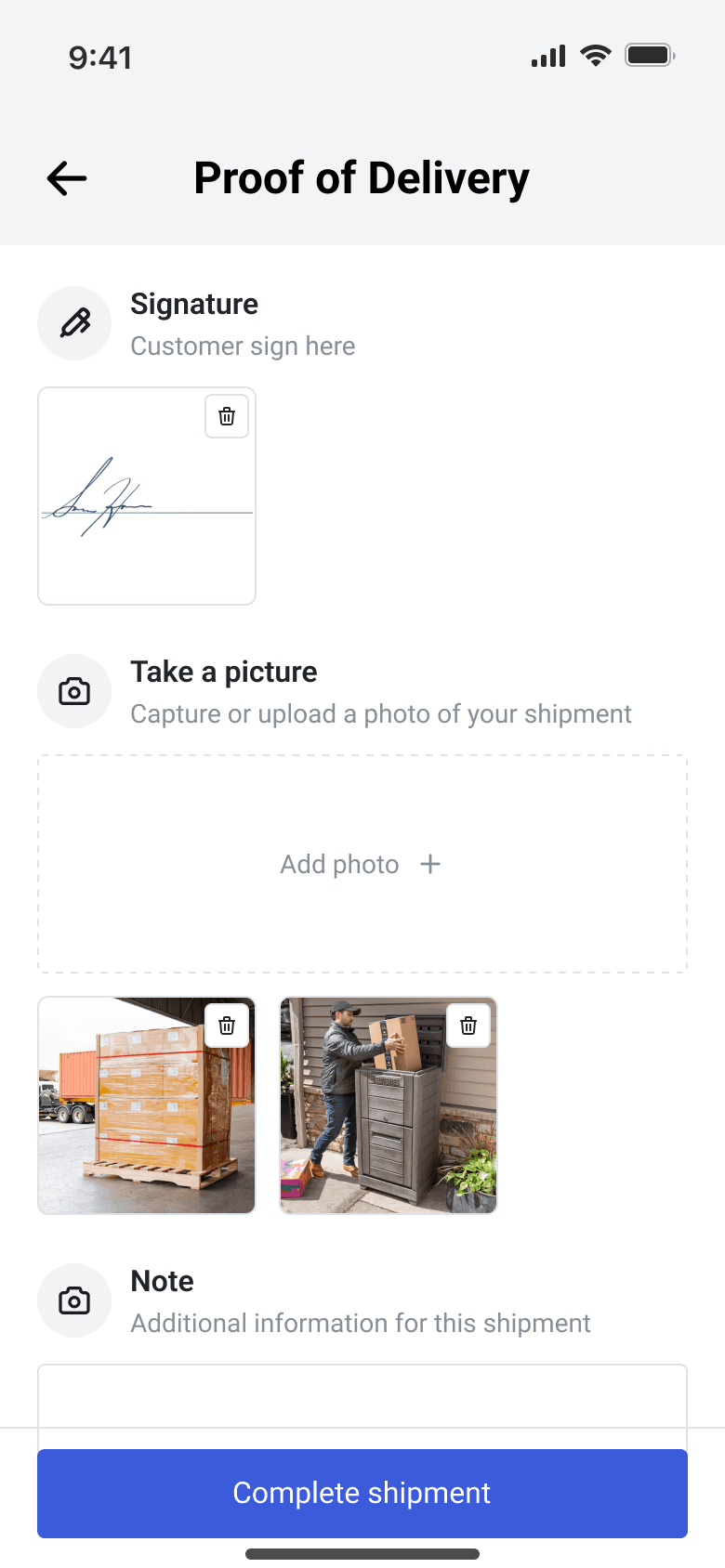
Capture proof of delivery.
Snap POD photos and view their own performance.
Contact Us
Connect with us for best solutions and success.
Discover tailored solutions that drive success. Our expert team is here to achieve your goals.
- sales.vn@cyberlogitec.com
- (+84) 28 38 132 967
- SCETPA Building, 19A Cong Hoa Street, Bay Hien Ward, HCMC, Vietnam